



















3D Box Promotion
Original price was: ₹150.00.₹49.00Current price is: ₹49.00.Typography
This is a pack of the most commonly used and popular type animation styles. Quickly drag and drop these presets into your composition or over top of your video. These come in 3 different aspect ratios and are social media-ready. Also includes .jsx files to apply these animations to any of your text layouts.
Features
|
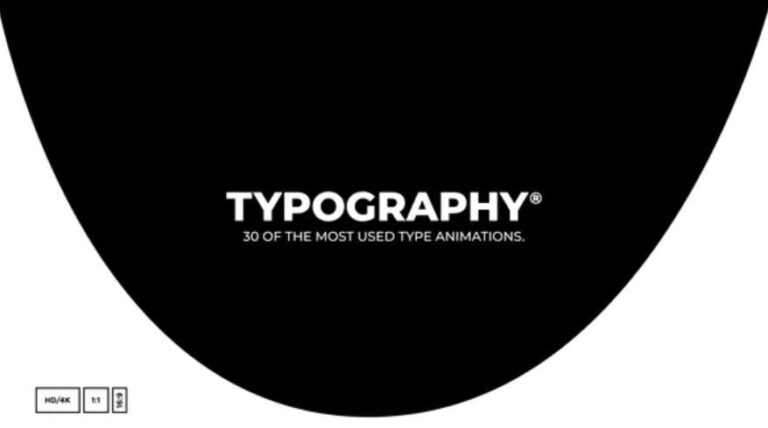
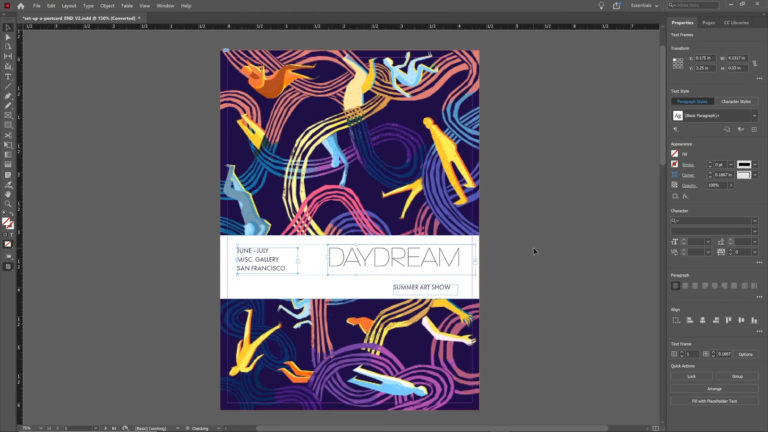
Essential Typography Toolkit
Original price was: ₹150.00.₹49.00Current price is: ₹49.00.Typography
This is a pack of the most commonly used and popular type animation styles. Quickly drag and drop these presets into your composition or over top of your video. These come in 3 different aspect ratios and are social media-ready. Also includes .jsx files to apply these animations to any of your text layouts.
Features
|
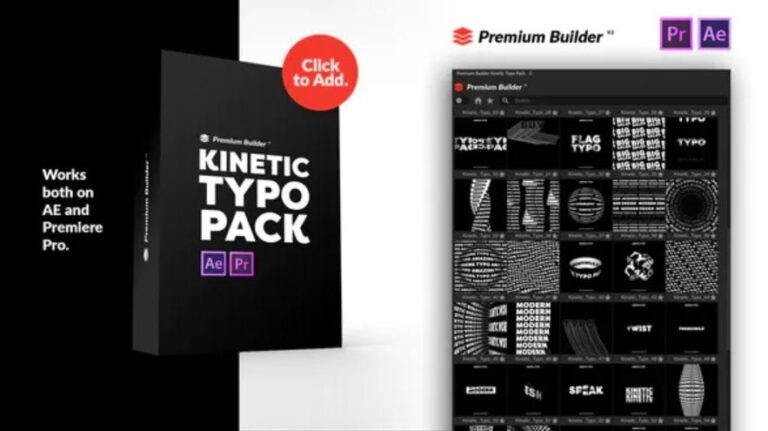
Kinetic Typography Pack v2
Original price was: ₹150.00.₹49.00Current price is: ₹49.00.Kinetic Typo Pack V.2
- 130 Kinetic Typography
- CC 2020 – CC2019 Compatible Project
- AE – Premiere Pro Templates
- Premiere Mogrts files Included.
- PremiumBuilder Extension Tool Included
- Resizable Compositions (4K,HD, Mobile, Square)
- Loop Animations (6sec)
- Multilanguage Text
- Works with any Font
- No plugins required.
- Easy Text Customization
- Color Control
- Universaliser Controller Included (Compatible with any language)
- Tutorials with voice over included.
PremiumBuilder Extension Features:
- Works on AE CC 2020 & 2019 and Premiere Pro 2020 & 2019
- Home Button
- Minimize – Maximize
- Add to Favourite Category
- Side Menu Button On/OFF
- Search All or Search inside a category
- Premiumilk Profile Videohive Link
- EXTENSION TROUBLESHOOTING
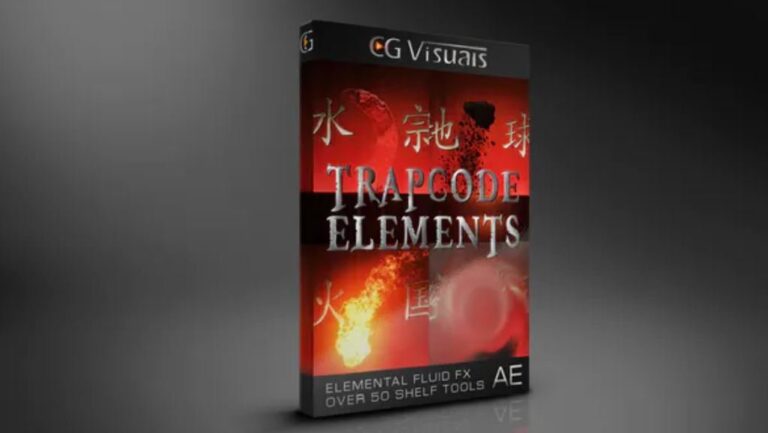
Trapcode Elements V1.2 Full Version
Original price was: ₹150.00.₹49.00Current price is: ₹49.00.Trapcode Elements is a unique collection of over 50 projects for creating realistic water, earth, fire, and air simulations directly inside of After Effects. For the first time ever use Trapcode Particular to create stunning 3D bodies of water, procedural rock formations, pyrotechnic effects, and volumetric wind forces. Effortlessly composite these effects into your scene with easy to use controls allowing you to customize the perspective, lighting, and preset post-processing effects. Create custom animations on the fly with simplified control rigs, user-friendly guide layers, and fast preview proxy simulations that make editing easier than ever. Trapcode Elements gives you the power to produce high-quality dynamic simulations, custom 3D assets, and integrate them into your live-action footage with unlimited possibilities! Master the elements like never before and bring your ideas to life. Wield powerful procedurally generated effects and watch them render in an instant. With over 50 unique… and highly customizable projects… the only limit… is your imagination. Trapcode Elements is a feature-rich plugin that offers an expansive library of realistic pyro, liquid, volume, and fluid-based shelf tools. Perfectly optimized and filled with potential, it’s time to look inward, forge your own path and ask yourself… what do you want to create?
Trapcode Elements is fully compatible with CC 2014, CC 2017, and CC 2018 or later. Red Giants Trapcode Particular version 4.1 (Fluid Dynamics) is also required. Please note that this product is not yet compatible with Trapcode Particular V5. Trapcode Elements uses Fluid Dynamics to achieve most of the Fire and Air simulations, all of the projects have been carefully optimized and include proxy simulations that can be toggled in place of the main effect to dramatically speed up your workflow. Think of this as an expanded library of powerful VFX tools that are always available to you whenever you need them!
Photomotion X 10.3.2 – Biggest Photo Animation Toolkit (5 in 1)
Original price was: ₹150.00.₹49.00Current price is: ₹49.00.Welcome Photomotion X
We’ve spent years perfecting the art of animating static pictures. Photomotion X is the result.
Five Products in One.
The largest photo animation toolkit ever created.
Portrait
Animate any face with the most advanced portrait projection on the market.
Glacier
Create truly engaging cinemagraphs directly inside of Photomotion.
Mirage
Make your skies, smoke and water move with our new Mirage toolkit.
Horizon
Professional 3D projection for truly photorealistic results. Completely revamped in Photomotion X.
Parallax
Create stunning animations by combining simple parallax effect with the power of Photomotion.
more coming soon
We aim to create the most complete photo animation toolkit on the planet. Expect new animation tools soon.
100 New Features
Photomotion X is the biggest update we’ve ever created. It combines years of experience into one tool that brings more than 100 new features to you.
Easier Than Ever with Smart Interface.
Compatible with Mac & Windows. Requires Adobe After Effects installed on your computer.
Your Command Centre. Our proprietary Smart Interface is constantly adapting to your actions, making it is easier than ever to use Photomotion. Developed by leading user experience designers to make sure you don’t need to read tons of tutorials to start using Photomotion. Save & Take with you.
Working on multiple computers just got easier. Photomotion doesn’t require installation so you can simply move your project to another computer and continue working where you left off. Comes with full support for Windows and Mac OS.
One-Click 3D Particles
29 Fully Integrated Particle Systems
With the new Photomotion X you can add professional 3D particles to your scene with a single click. Photomotion will automatically animate them for you so you don’t need to spend any time at all and your image will immediately look more engaging.
Most popular:
Snow, Rain, Leaves & Petals, Dust, Time – Freeze 24 more particle systems
One-Click Seamless Loops
Auto-Loop.
Create infinitely long animations with our new auto-loop feature. One click and Photomotion will calculate all loops for you.
Boomerang.
Prefer boomerang effect? Photomotion X comes with one-click function to create boomerang animations for you.
Packed with 100 Features
Photomotion X is the largest photo animation toolkit ever created, packed with features to help you create stunning images easier.5 products in 1, Scene Relight, Camera Follow, Eyes Scale, Face Makeup, Slideshow Builder, Resolution Previews, Auto-Loop 92 more
Variations.
Create variations of your animation for different channels without re-animating your image again. This allows you to create multiple versions of the same animation in just a few clicks.
Photomotion Presets
Export different variations of your animation for different channels without need to re-animate your image.
Buy Once. Animate Forever.
We created Photomotion to help more people get into photo animation. Limiting how many pictures you could convert would go against our vision. We don’t put any limits on number of pictures you convert with Photomotion.
Portrait
Photomotion Portrait is the most advanced and feature rich projection for animating portrait photos. With most sophisticated projection engine on the market.
Use X-ray:
Photomotion uses professional 3D body scans to give you the most realistic depth maps you can get.
True Depth:
Let our proprietery Photomotion Xray calculate 3D mesh by simply choosing positions of your eyes and nose.
Move in 3D space:
Use Smart Interface to move your face in real 3D space, add particles, enhance your animation and export your video.
Glacier
Photomotion Glacier can create engaging cinemagraphs by freezing a part of your video while the rest continues to play in seamless loop or boomerang animation.
Import Video:
Import a video into Glacier where you will be able to stabilize it and make it ready for the next step.
Freeze:
Freeze one or more areas of your video by simply drawin a mask around it. All inside of After Effects.
Auto-Loop:
Glacier will automatically calculate seamless loops for you, so you can export your final video to any length.
Mirage
Photomotion Mirage combines the power of animating water, skies, smoke and others with our auto-loop system to create illusion of a movement in your photos.
Mask:
Import an image and create a mask around the area you want Mirage to animate. All inside of After Effects.
Mesh Move:
Mirage will calculate a mesh in your masked area and give you tools to animate it however you want.
Seamlessly Looped:
Mirage will then automatically caculate a seamless loop for you and let you export infinitely long animation.
Horizon
Photomotion Horizon is a professional 3D projection without the need to learn or use any 3D software. This is the most feature rich projection in Photomotion X.
Use 3D Cage:
Horizon uses our special control system for setting up a real 3D space by using intuitive user interface controls.
Add Objects:
Add objects to your scene such as people and let Horizon do the hard work of calculating their real 3D position.
Animate & Export:
Horizon offers the most advanced tools for photo animaiton. Use them to create stunning end results.
Parallax
Photomotion Parallax combines the power of Photomotion engine with the simplicity of parallax effect to create beautiful animations in no time.
Add Background:
Add the main layer to Parallax. That’s usually a background of your image.
Add Layers:
Add multiple objects into the scene, position them wherever you want and build your own 2.5D scene.
Have Fun!
Move the camera by using our Smart Interface and watch your layers come to life without need to set-up animations manually.
Suitable for beginners
Photomotion
Easy to use and optimised for complete beginners as well as professionals
Other
Most tools aren’t optimised for beginners and first time users
Suitable for professional use
Photomotion
full support for professional-grade tools, features and training
Other
most tools are offering very simple and limited featureset
Suitable for professional use
Photomotion
full support for professional-grade tools, features and training
Other
most tools are offering very simple and limited featureset
Number of projection methods
Photomotion
5 new coming soon
Other
1-2
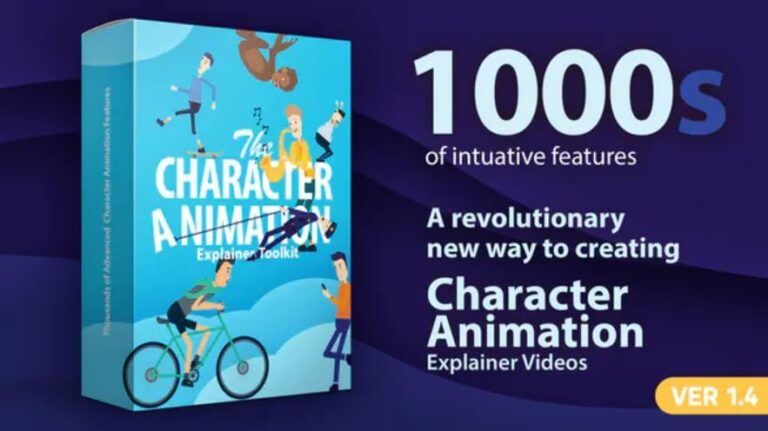
Character Animation Explainer Toolkit
Original price was: ₹150.00.₹49.00Current price is: ₹49.00.The Character Animation Explainer Toolkit is a revolutionary product. Design characters, pick animations & create explainer videos right inside After Effects.
Thousands of features, refined over more than a year of research. Character design & animation will never be the same.
Some of the features
- Modify character length and all body proportions.
- Change torso shape, modify thickness & roundness.
- Having the ability to add muscles, including chest, shoulders, biceps, hip muscles & calves.
- Easily add a round belly & re-position it over the character.
- Add shirts, jackets, blazers, cardigans, hoodies, coats & sweaters. Customise with the included buttons & zippers, pockets, badges & more.
- Including accessories like; bowties, ties, clothes straps, necklaces, scarfs, neck collars, cameras, headphones & more.
- Add a skirt and shape it however you like by simply dragging its corners!
- Modify waist height, with auto belt re-positioning. Choose from different belts & pick any color.
- Change sleeve length, color & thickness. Control top & bottom sleeves indipendently.
- Modify hand size and blend between 50 hand poses using the included hand rig.
- Add watches, tattoos, bands & more. Choose from 38 hand accessories.
- Choose any leg shape. Modify size, thickness, height, roundness & position.
- Change pants length, color & thickness. Control top & bottom pants indipendently.
- Modify socks height & color. Choose from different patterns change its rotation & size.
- Complete boot ankle control, choose chin & ankle colors, height & width.
- Change feet size & color. Pick from 15 shoes styles & customise with the included shoe laces & accessories.
Head Design Studio
The most advanced head design package.
Head shape control
A unique system, allowing you to control the forehead & chin separately. Control their width, height, roundness & more. You can achieve any head shape imaginable!
Want something more? Try the V Head Shape switch and change the look completely with a single click.
Additional head features
- 65 Hair styles in 5 sections. Choose & combine styles from each section to design unique styles. Change colors, add patterns & hair wind.
- Individual size & color control for pupils & outer eyes.
- Choose from 42 noses. Modify size, color & position.
- 25 Mustaches to choose from, with rotation animation control.
- Choose from different forehead textures.
- 22 eye brow styles.
- 21 Ear styles included. Accesorise with 10 ear rings.
- Choose from 20 cheek textures.
- Including 25 beard styles.
- Full mouth control. Change size, colors & position of lips, tongue, teeth & inner mouth.
- Accessorise using the included helmets, hats & glasses, with full color control & animation features.
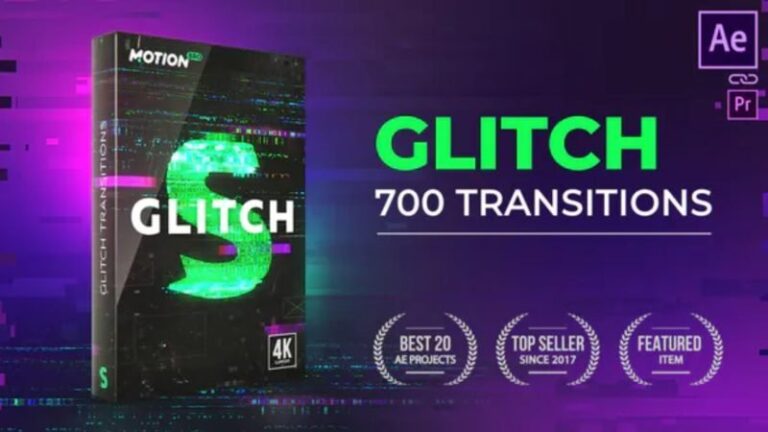
700+ Glitch Transitions
Original price was: ₹150.00.₹49.00Current price is: ₹49.00.Features
- Over 700 glitch presets
- Applying a preset in one click
- Motion Bro extension included – requires After Effects CC.2014.2 and higher. Review
- Package for manual use is included – requires After Effects CS6 and higher. Tutorial
- Supported any resolution up to 4K
- Supported any aspect ratio regardless of orientation – portrait or landscape
- Without mediahodlers (adjustment layers system)
- Animation speed control in real time
- Change glitch-pattern in one click
- Ability to use in Premiere Pro (via the Dynamic Link). Video tutorial here
- Detailed video tutorials
- Does not require advanced skills in After Effects
- AEP-file of Promo video is included
- Sound FX is included
- Music used in Promo (not included): Countdown Trailer Teaser | Epicness
- Font used in Promo (free): Muller

BOX Auto Resizing Titles Pack
Original price was: ₹150.00.₹49.00Current price is: ₹49.00.112 BOX Titles
7 Categories (Animation, Titles, Lower Thirds, Long Shadow, Call Outs, Shapes, Glitches)
BOX automatically resize based to text.
PremiumBuilder Extension Included for AE and Premiere Pro.
Well Organised Library
Features:
CC 2014 – CC2019 Compatible Project
Premiere Mogrts files Included.
Resizable Template (4K, Full HD, Square)
Works with any Font
No plugins required.
Universaliser Controller Included (Compatible with any language)
Tutorials with voice over included.
PremiumBuilder Extension Features:
Works on AE CC 2019 and Premiere Pro 2019
Home Button
Minimize – Maximize
Add to Favourite Category
Side Menu Button On/OFF
Search All or Search inside a category
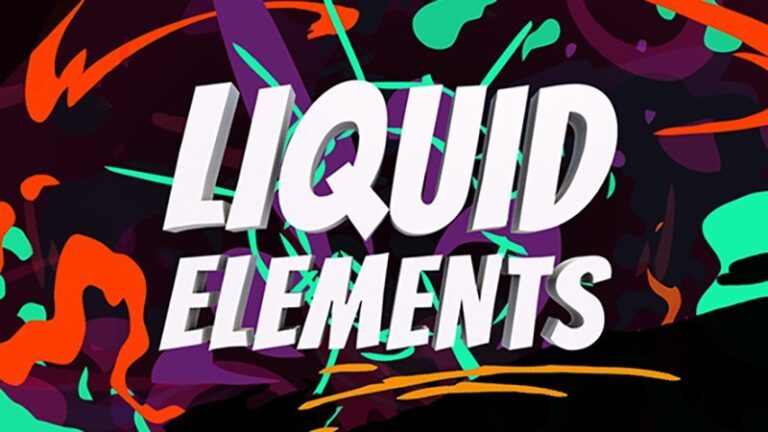
Liquid Elements
Original price was: ₹150.00.₹49.00Current price is: ₹49.00.Features:
Editable colors
Editable styles including glow, doodle, isometric and stroke
Made of 100% After Effects layers
Requirements:
After Effects CS6 and above.
It’s the August, 2018 release.

AinTrailers | Explainer Video Toolkit with Character Animation Builder
Original price was: ₹150.00.₹49.00Current price is: ₹49.00.AinTrailers v2 – the biggest and most feature-packed Explainer Video Toolkit with Character Animation Maker on the world market.
AinTrailers v2 is an intuitive, full-featured and well-structured character builder and explainer video toolkit for Adobe After Effects and the easiest way to create incredible animated videos for any purpose. What does it mean? With AinTrailers template you can make stylish explainer videos, startup intros, product promos and demos, corporate presentations, infographics, or whatever else you might want to create.
New version 2.0 contains more than 5000 unique and professionally-designed elements and animations. You can choose elements from a range of icons, buildings, backgrounds, compositions, typography, promo services, infographics, motion shapes, speech bubbles, shape elements, transitions, displays, hands, animation presets, logo reveals, animated doors, screen effects, animated effects, and, the main feature – ultimate characters builder. Ultimate Characters Animation Maker allows to create professional-looking, rigged and animation-ready Male, Male Elastic, Female, Female Elastic, Children, Children Elastic and Robot characters with a huge amount of character’s components and pre-made animations and emotions.
AinTrailers Features:
Main Core Feature – Characters Creator / Generator
Create unlimited number of unique characters, any ethnicity. You can create a character of yourself, your friends, absolutely any unique character or even celebrities. Your generated character will be ready for the animation or you can use it on any animation that have already been created.
- Male Character Animation Builder
- 7 head shapes
- 16 eye shapes
- 9 designs of ears
- 19 browes
- 36 noses
- 36 hands
- 87 haircuts x 7 (for each type of head shape)
- 29 beards x 7 (for each type of head shape)
- 27 mustaches
- 72 hats
- 24 glasses
- 20 footwear
- 190 pre-made facial expressions x 16 (for each type of eye shape)
- 125 mouth shapes
- 22 extra components for emotions
- 179 male costumes (including arab costumes)
- 260 pre-made male animations
- Elastic Male Character Animation Builder
- 7 head shapes
- 16 eye shapes
- 9 designs of ears
- 19 browes
- 36 noses
- 36 hands
- 87 haircuts x 7 (for each type of head shape)
- 29 beards x 7 (for each type of head shape)
- 27 mustaches
- 72 hats
- 24 glasses
- 20 footwear
- 190 pre-made facial expressions x 16 (for each type of eye shape)
- 125 mouth shapes
- 22 extra components for emotions
- 131 male costumes (including arab costumes)
- 260 pre-made male animations
- Female Character Animation Builder
- 3 head shapes
- 16 eye shapes
- 3 eyelashes designs (for girls)
- 9 designs of ears
- 19 browes
- 36 noses
- 36 hands
- 56 haircuts
- 81 hats
- 24 glasses
- 24 footwear
- 190 pre-made facial expressions x 16 (for each type of eye shape)
- 125 mouth shapes
- 22 extra components for emotions
- 154 female costumes
- 260 pre-made female animations
- Elastic Female Character Animation Builder
- 3 head shapes
- 16 eye shapes
- 3 eyelashes designs (for girls)
- 9 designs of ears
- 19 browes
- 36 noses
- 36 hands
- 56 haircuts
- 81 hats
- 24 glasses
- 24 footwear
- 190 pre-made facial expressions x 16 (for each type of eye shape)
- 125 mouth shapes
- 22 extra components for emotions
- 124 female costumes
- 260 pre-made female animations
- Children Character Animation Builder
- 3 head shapes
- 16 eye shapes
- 3 eyelashes designs (for girls)
- 9 designs of ears
- 19 browes
- 36 noses
- 36 hands
- 121 haircuts
- 78 hats
- 24 glasses
- 27 footwear
- 190 pre-made facial expressions x 16 (for each type of eye shape)
- 125 mouth shapes
- 22 extra components for emotions
- 119 children costumes
- 260 pre-made children animations
- Elastic Children Character Animation Builder
- 3 head shapes
- 16 eye shapes
- 3 eyelashes designs (for girls)
- 9 designs of ears
- 19 browes
- 36 noses
- 36 hands
- 121 haircuts
- 78 hats
- 24 glasses
- 27 footwear
- 190 pre-made facial expressions x 16 (for each type of eye shape)
- 125 mouth shapes
- 22 extra components for emotions
- 99 children costumes
- 260 pre-made children animations
- Robot Character Builder
- 10 eye emotions
- 10 mouth emotions
- 4 wheel design
- 21 robot animations
Other Core Features
- 2000 Objects and Icons – animated and static versions
- 172 Buildings – animated and static versions
- 125 Background Scenes
- 36 Compositions
- 57 Typography
- 18 Promo Services/Features – short and long versions of animation
- 31 Infographics
- 93 Motion Shapes
- 26 Speech Bubbles – animated and static versions
- 86 Shape elements – arrows, circles, squares, labels – animated and static versions
- 65 Transitions
- 22 Display elements – animated and static versions
- 97 Hands Gestures
- 25 Logotype reveals
- 33 Foreground styles
- 28 Screen Effects
- 20 Animated Doors
- 186 Animated Effects
- 214 Animation Presets
- AinTrailers Character Assistant plugin v1.0.2 – included
- AinTrailers Color Control Helper plugin v1.0.2 – included
Other Features
- Well-optimized
- Well-structured and organized
- Modular structure
- Visually engaging and captivating
- Wide range of elements and animations
- Completely customizable
- Well-documented
- High-quality video tutorials
- Preview of all elements (guides, gif-animations)
- Delivers professional results
Required Scripts:
Does not require any third-party scripts or plugins!
AinTrailers v2 Package:
AinTrailers v2 Character Maker and Explainer Video Toolkit package includes the following items:
01. Text Documentation (Help)
02. Element Guides (Help)
03. AinTrailers Character Assistant
– AinTrailers_Tools.jsxbin – AinTrailers Character Assistant plugin v1.0.2
– AinTrailers_ColorHelper.jsxbin – AinTrailers Color Control Helper plugin v1.0.2
04. AinTrailers Animation Presets
05. Separate templates
– each section of AinTrailers pack is available as a separate After Effects template
– AinTrailers_stories.aep – is an After Effect project, which includes 4 pre-made stories such as:
01. Freelancy Story
02. Personal Resume Story
03. Web Agency Story
04. Product Promo Story
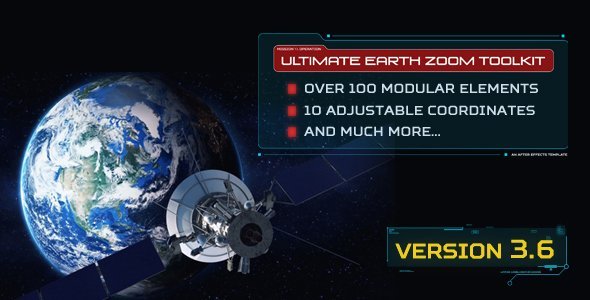
Ultimate Earth Zoom Toolkit
Original price was: ₹150.00.₹49.00Current price is: ₹49.00.VideoHive – Ultimate Earth Zoom ToolkitVideoHive – Ultimate Earth Zoom Toolkit
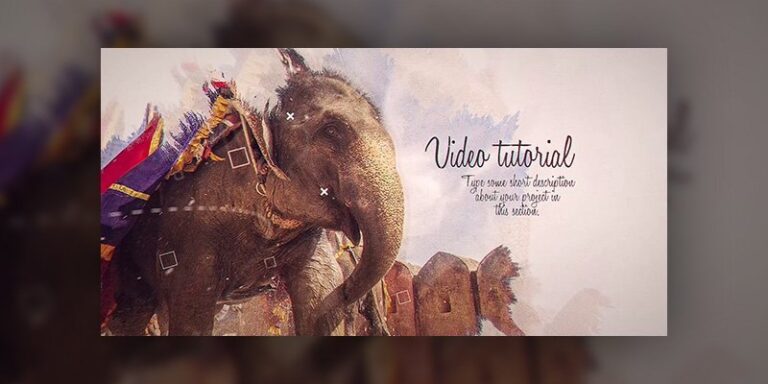
Ink Slideshow by Media_Stock
Original price was: ₹150.00.₹49.00Current price is: ₹49.00.VideoHive Ink Slideshow by Media_Stock
This is a Stunning visual appealing presentation of ink slideshow. Make your promo looks way better and impress your clients in just hours. Just drag and drop your footage and change texts, then impress your clients with this amazing output. Easy to understand video tutorial included where I have covered how to use this template easily.
SOFTWARE SUPPORT : After Effects CS4, CS5, CS5.5, CS6 and CC
FEATURES
- RESOLUTION : 1920×1080 (30FPS)
- PLACEHOLDER : 11 Images/videos holder, 11 Text holder
- PLUG-INS : No plug-ins required
- TUTORIAL : Easy to understand video tutorial included
NOT INCLUDED:
- Images are not included
- The font is not included. (Any font can be used)