






















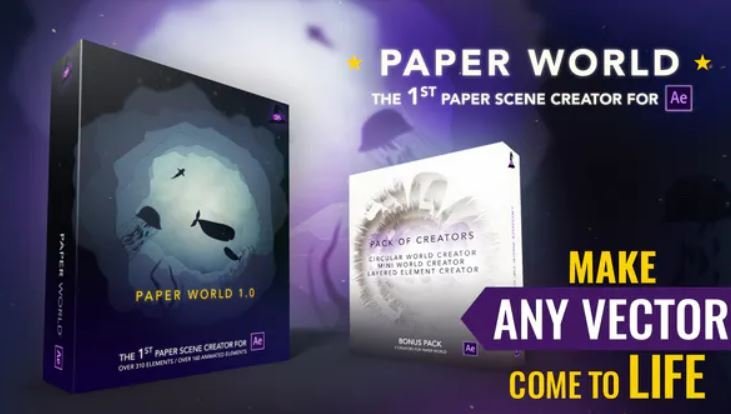
Paper World
Original price was: ₹150.00.₹29.00Current price is: ₹29.00.WHAT IS PAPER WORLD?
Paper World includes everything so you can create incredible animated paper cut videos. This is a new tool in After Effects world. Use in commercials, promo videos, explainers, company timelines, start up promotion, travel stories, cartoons, games, on video, on photo, mixed media and music videos.
Photomotion X 10.3.2 – Biggest Photo Animation Toolkit (5 in 1)
Original price was: ₹150.00.₹49.00Current price is: ₹49.00.Welcome Photomotion X
We’ve spent years perfecting the art of animating static pictures. Photomotion X is the result.
Five Products in One.
The largest photo animation toolkit ever created.
Portrait
Animate any face with the most advanced portrait projection on the market.
Glacier
Create truly engaging cinemagraphs directly inside of Photomotion.
Mirage
Make your skies, smoke and water move with our new Mirage toolkit.
Horizon
Professional 3D projection for truly photorealistic results. Completely revamped in Photomotion X.
Parallax
Create stunning animations by combining simple parallax effect with the power of Photomotion.
more coming soon
We aim to create the most complete photo animation toolkit on the planet. Expect new animation tools soon.
100 New Features
Photomotion X is the biggest update we’ve ever created. It combines years of experience into one tool that brings more than 100 new features to you.
Easier Than Ever with Smart Interface.
Compatible with Mac & Windows. Requires Adobe After Effects installed on your computer.
Your Command Centre. Our proprietary Smart Interface is constantly adapting to your actions, making it is easier than ever to use Photomotion. Developed by leading user experience designers to make sure you don’t need to read tons of tutorials to start using Photomotion. Save & Take with you.
Working on multiple computers just got easier. Photomotion doesn’t require installation so you can simply move your project to another computer and continue working where you left off. Comes with full support for Windows and Mac OS.
One-Click 3D Particles
29 Fully Integrated Particle Systems
With the new Photomotion X you can add professional 3D particles to your scene with a single click. Photomotion will automatically animate them for you so you don’t need to spend any time at all and your image will immediately look more engaging.
Most popular:
Snow, Rain, Leaves & Petals, Dust, Time – Freeze 24 more particle systems
One-Click Seamless Loops
Auto-Loop.
Create infinitely long animations with our new auto-loop feature. One click and Photomotion will calculate all loops for you.
Boomerang.
Prefer boomerang effect? Photomotion X comes with one-click function to create boomerang animations for you.
Packed with 100 Features
Photomotion X is the largest photo animation toolkit ever created, packed with features to help you create stunning images easier.5 products in 1, Scene Relight, Camera Follow, Eyes Scale, Face Makeup, Slideshow Builder, Resolution Previews, Auto-Loop 92 more
Variations.
Create variations of your animation for different channels without re-animating your image again. This allows you to create multiple versions of the same animation in just a few clicks.
Photomotion Presets
Export different variations of your animation for different channels without need to re-animate your image.
Buy Once. Animate Forever.
We created Photomotion to help more people get into photo animation. Limiting how many pictures you could convert would go against our vision. We don’t put any limits on number of pictures you convert with Photomotion.
Portrait
Photomotion Portrait is the most advanced and feature rich projection for animating portrait photos. With most sophisticated projection engine on the market.
Use X-ray:
Photomotion uses professional 3D body scans to give you the most realistic depth maps you can get.
True Depth:
Let our proprietery Photomotion Xray calculate 3D mesh by simply choosing positions of your eyes and nose.
Move in 3D space:
Use Smart Interface to move your face in real 3D space, add particles, enhance your animation and export your video.
Glacier
Photomotion Glacier can create engaging cinemagraphs by freezing a part of your video while the rest continues to play in seamless loop or boomerang animation.
Import Video:
Import a video into Glacier where you will be able to stabilize it and make it ready for the next step.
Freeze:
Freeze one or more areas of your video by simply drawin a mask around it. All inside of After Effects.
Auto-Loop:
Glacier will automatically calculate seamless loops for you, so you can export your final video to any length.
Mirage
Photomotion Mirage combines the power of animating water, skies, smoke and others with our auto-loop system to create illusion of a movement in your photos.
Mask:
Import an image and create a mask around the area you want Mirage to animate. All inside of After Effects.
Mesh Move:
Mirage will calculate a mesh in your masked area and give you tools to animate it however you want.
Seamlessly Looped:
Mirage will then automatically caculate a seamless loop for you and let you export infinitely long animation.
Horizon
Photomotion Horizon is a professional 3D projection without the need to learn or use any 3D software. This is the most feature rich projection in Photomotion X.
Use 3D Cage:
Horizon uses our special control system for setting up a real 3D space by using intuitive user interface controls.
Add Objects:
Add objects to your scene such as people and let Horizon do the hard work of calculating their real 3D position.
Animate & Export:
Horizon offers the most advanced tools for photo animaiton. Use them to create stunning end results.
Parallax
Photomotion Parallax combines the power of Photomotion engine with the simplicity of parallax effect to create beautiful animations in no time.
Add Background:
Add the main layer to Parallax. That’s usually a background of your image.
Add Layers:
Add multiple objects into the scene, position them wherever you want and build your own 2.5D scene.
Have Fun!
Move the camera by using our Smart Interface and watch your layers come to life without need to set-up animations manually.
Suitable for beginners
Photomotion
Easy to use and optimised for complete beginners as well as professionals
Other
Most tools aren’t optimised for beginners and first time users
Suitable for professional use
Photomotion
full support for professional-grade tools, features and training
Other
most tools are offering very simple and limited featureset
Suitable for professional use
Photomotion
full support for professional-grade tools, features and training
Other
most tools are offering very simple and limited featureset
Number of projection methods
Photomotion
5 new coming soon
Other
1-2
Premiere Pro Transitions
Original price was: ₹150.00.₹99.00Current price is: ₹99.00.ITEM DETAILS
Looking for great transitions for Premiere Pro? Here is the Seamless Transitions Pack for you. It is a great way to make your cuts more interesting, modern, and dynamic! These transitions allow you to easily stand out from the crowd with 800 dynamically animated transition effects. Perfect for your
slideshow, openers, intros, and much more. These transitions will help you quickly. Great for just about any video project. Enjoy the Version 5!
Multiple Categories
- Glitch, Pan, Zoom, Rotation, Split, Stretch, Twirl, Perspective, Lens Flare, Panorama, Spin, Wraps, Flat, Etc
Supported Applications
- Premiere Pro CC 2015 and above – GPU acceleration (Cuda or OpenCL)
FEATURES:
- Awesome plugin included with the project
- Works with any FPS
- Works with any resolution
- 100% Premiere Pro (No After Effects needed)
- Easy to use even if you are a beginner
- User-friendly project structure
- Fast previews right inside Premiere Pro
- Various transition speed
- Sound FX included
- Prompt technical support
USAGE:
- Easy & fast installation (less than a minute) ● No need to resave project files before the import ● No need to disable layers before applying transitions! ● Auto-resize to any resolution/aspect ratio
Quantum HUD Infographic v2 for After Effects
Original price was: ₹150.00.₹99.00Current price is: ₹99.00.VideoHive Quantum HUD Infographic v2 for After Effects
- Resolution :1920×1080
- You need After Effects ( Supports : CS5 and above)
- We’ve included Black&White version of Color HUDs too
- All of elements can be used as transparent elements on any footage.
- You don’t need any plugin to use it. However this package contains plugin version of HUDs. For using plugin version you need : Plexus 2.0 , Videocopilot Optical Flares . This is the list of elements that use plugins (Note: No-Plugin version are included too. If you don’t want to change main object , you don’t need to use plugin version.):
- 01 : Solar
- 02 : Earth Attacked
- 03 : Earth IT
- 04 : Heart
- 05 : Human I
- 06 : Human II
- 07 : Iron Car
- 09 : Hills
- 10 : Dish Antenna
- 11 : Satellite
- 23 : iPhone Device
- 31 : DNA
- 33 : Guns
Quantum v2.0 3D scenes are pre-rendered and they don’t use plugin. So you can not change the 3D elements or camera movement. 3D scenes are :
- City
- Battleship
- Viruses
- Nuclear
- Rocket
- Drone
- Mosque
- Infographic 02
- Oil Rig
- Airplane
Package includes :
- 36 Complex HUD items (HUD v1.0)
- 50 Complex HUD items (HUD v2.0) contains 10 line call-out, 10 HUD Titles
- 270 modular HUD elements
- Full Documentation (Help File)
- 10 overlay textures
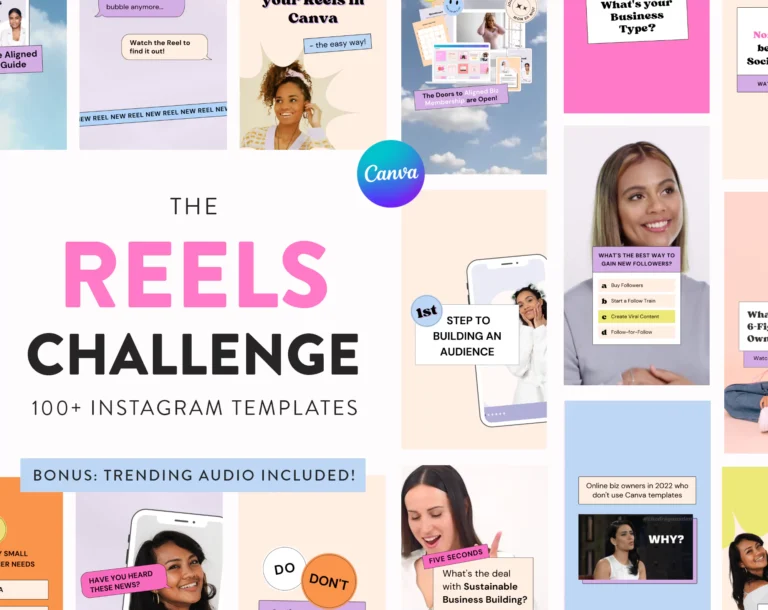
Reels & TikTok Video Templates Bundle for Canva
Original price was: ₹750.00.₹149.00Current price is: ₹149.00.One huge video content bundle, including 4 of our bestselling template packs!
Reels, Shorts and TikToks are here to stay! Video is the #1 trending content format on all platforms in 2023. Not just Gen Z has hopped on the short video train, it has become inevitable for modern social media marketing.
If you think your business should be doing video RIGHT NOW (or you have already started), then this bundle is for you!
4 Canva Template Packs with 230+ Reels and TikTok templates:
– 30 Day Reels Challenge Templates for Viral Reels
– The Coach Reels Creator
– The TikTok Video Marketing Pack
– The Video Instagram Kit
You can customize colours, text and images in all templates with your own information in the Canva web or mobile app and use them over and over again!
✅ change all text, photos, shape and background colours
✅ add your own texts and photos
✅ replace fonts with different fonts
✅ move objects around and position them new or completely remove them
⚠️ Important: Some of the images used in this pack are only available with a Canva Pro subscription. However, the images are for demonstration only, so you can easily change them and use your own.
Seamless Transitions V5 For Premiere Pro
Original price was: ₹150.00.₹49.00Current price is: ₹49.00.WORKS ON:
“ADOBE PREMIERE PRO CC 2018 Ver 12.1.2 – LATEST 2019 VERSION”
This Package includes
What resolutions are included?
- FullHD – 1920×1080
- HD – 1280×720
- Vertical – 1080×1920
- Instagram – 1080×1080
- Instagram Ads – 1080×1350
- GoPro – 2704×1520
- DCP Flat – 1998×1080
- DCP 4K Scope – 4096×1716
- DCP 4K Flat – 3996×2160
- DCP 2K Scope – 2048×858
- 4K UltraHD – 3840×2160
- 4K Full Frame – 4096×3072
- 4K DCI – 4096×2160
- 4K Academy – 3656×2664
- 6K – 6144×2592
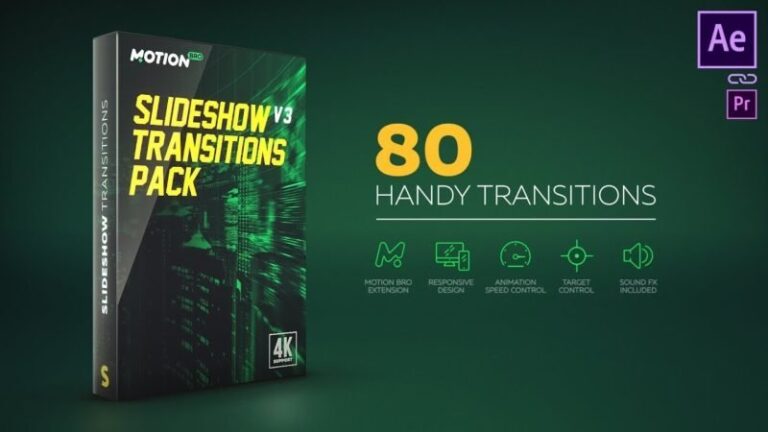
Slideshow Transitions Pack
Original price was: ₹150.00.₹39.00Current price is: ₹39.00.Slideshow Transitions Pack have been carefully crafted so that they are super-easy to use for all skill levels – simply place a transition-layer at the junction of the two scenes and everything is ready to roll.
All transitions work without the need to do Pre-compose or Media Placeholders. Transformed any content, that is placed underneath the transition layer.
Features
- 80 dynamic transitions
- For method using a Motion Bro requires After Effects CC.2014.2 and higher. Tutorial
- For manual method requires After Effects CS6 and higher. Tutorial
- For any resolutions. Including: HD | Full HD | 2K | 4K
- For any aspect ratio regardless of orientation – portrait or landscape
- Without media hodlers (adjustment layers system)
- Easily change duration of the transition
- Ability to move a Zoom Target
- Ability to use in Premiere Pro (via the Dynamic Link). Tutorial
- Does not require advanced skills in After Effects
- AEP-file of Promo video is included
- Music used in Promo (not included): Action Dubstep by Tiero-Music
- Font used in Promo (free): Jersey M54
- Free Demo Presets
- Free Sound FX Pack

Social Media Marketing Mega Bundle for Canva
Original price was: ₹800.00.₹199.00Current price is: ₹199.00.Introducing the Social Media Marketing Mega Bundle for Canva, your all-in-one solution to revolutionize your online presence and supercharge your marketing efforts! With this comprehensive bundle, you’ll have everything you need to create eye-catching, engaging, and professional social media content using the popular design tool, Canva.
Key Features:
- Endless Possibilities: Unlock a world of creativity with this mega bundle, featuring thousands of templates, graphics, and assets designed exclusively for Canva. Whether you’re a beginner or a seasoned pro, you’ll find the perfect elements to craft stunning visuals.
- Effortless Branding: Maintain a consistent and polished brand image across all your social media platforms. Customize templates with your logo, color scheme, and fonts to reinforce your brand identity.
- Time-Saving Convenience: Say goodbye to hours of design work. With ready-made templates and graphics at your disposal, you can create professional content in minutes, leaving you with more time to focus on your marketing strategy.
- Variety of Content: Explore a wide range of content types, from eye-catching Instagram posts and stories to attention-grabbing Facebook covers and Twitter headers. Whether it’s for promotions, events, or everyday posts, we’ve got you covered.
- Engage Your Audience: Our templates are designed with audience engagement in mind. They incorporate modern design principles, trends, and persuasive call-to-action elements to captivate your viewers.
- Regular Updates: Stay ahead of the competition with ongoing updates to our templates and graphics library. Access fresh designs that align with current social media trends and algorithm changes.
- User-Friendly: Designed for users of all skill levels, our templates are easy to customize. Simply drag and drop elements, edit text, and adjust colors to match your vision.
- No Design Experience Needed: Even if you’ve never used Canva before, you’ll find our templates intuitive and user-friendly. No design skills required!
- Saves You Money: Skip the expensive graphic design software and design agencies. Our bundle is a cost-effective solution that empowers you to create professional-grade content on your own.
- Unleash Your Creativity: Use this bundle to experiment, innovate, and bring your unique ideas to life. It’s your canvas—paint your brand story with confidence.
With the Social Media Marketing Mega Bundle for Canva, you’ll have the power to craft compelling social media visuals that resonate with your audience, boost engagement, and ultimately drive results for your business or personal brand. Elevate your social media game and start creating stunning content today!
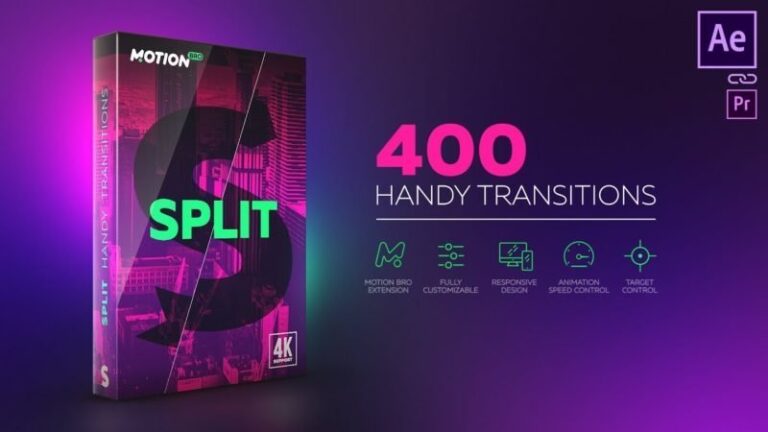
Split Handy Transitions
Original price was: ₹150.00.₹49.00Current price is: ₹49.00.Split Handy Transitions have been carefully crafted so that they are super-easy to use for all skill levels – simply place a transition-layer at the junction of the two scenes and everything is ready to roll.
All transitions work without the need to do Pre-compose or Media Placeholders. Transformed any content, that is placed underneath the transition layer.
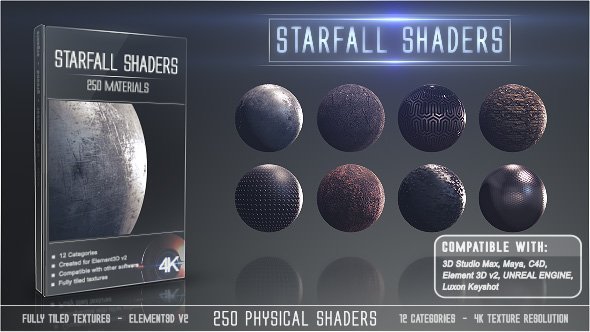
Starfall Shaders for After Effects Full Version
Original price was: ₹159.00.₹99.00Current price is: ₹99.00.VideoHive Starfall Shaders for Adobe After Effects
PStarfall Shaders Features:
• Any AE version with Element3D Installed
• 250 Shaders
• 12 Categories of highly detailed materials
• Compatible with any 3D Software such as: Maya, 3D Studio Max, Keyshot, Unreal Engine, Unity, C4D etc.
• 4K Maps Resolution
• Fully Tiled Textures (Seamless images)
• Exclusively made for Element3D v2
• Edit and modify all presets
• Real world categories
• Hyper-realistic render output
• PDF Tutorial Included
• The texture folders have the following maps: diffuse, specular, ambient occlusion, illumination, normal and displacement map
Starfall Shaders Options:
• Everything is editable
• Edit the Presets
• Create completely new shaders by combining the texture maps
• Set the UV Repeat to a higher value to get more details for close shots
SVG Mega Bundle
Original price was: ₹2,599.00.₹999.00Current price is: ₹999.00.The SVG Mega Bundle, the ultimate collection of scalable vector graphics designed to elevate your creative projects to new heights. Packed with versatility and visual appeal, this comprehensive bundle offers a treasure trove of high-quality SVG files ready to be utilized across a myriad of design endeavors.
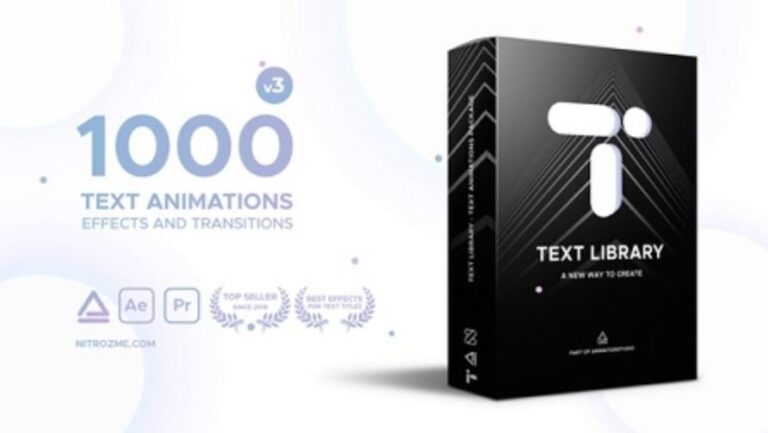
Text Library – Handy Text Animations v3
Original price was: ₹150.00.₹49.00Current price is: ₹49.00.Over 1000 professional Effects. This is a library of 1000 Animations, effects and transitions for Text Layers which will save you a lot of time and help you professionally edit your video in a matter of minutes. Text Library contains all types of ready to use effects from 9 different categories: Simple, Glitch, Vintage, Displacement, Blocks, Slices, VHS, Grunge, Edges. Every category contains different types of effects and creates unique stylish look. Apply a preset in one click. We will frequently update Text Library and add more categories and effects.